

All references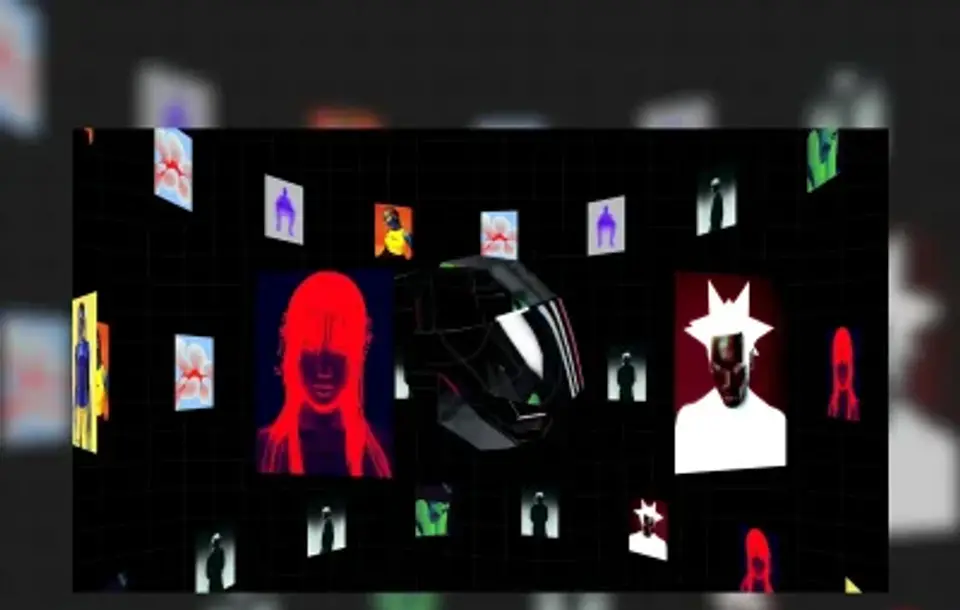
Motion / 3D Gallery
Scroll-Driven 3D Image Tube
Original reference by Matis Dené
Reference preview · React · Three Fiber
THE COMPLETE BRIEF
A prompt with a point of view.
Art direction, behaviour, responsive states and implementation detail. Read it, adapt it, then hand it to your crew.
Read the full prompt21,703 characters
# Recreate this reference faithfully: Scroll-Driven 3D Image Tube

You are an expert creative front-end developer. Reproduce the referenced motion so the rendered result is recognizably the same first-view composition shown in Foxora. This is an exact reconstruction task, not an inspiration exercise and not a request for a redesign.

Prompt registry version: 7.4.0.

## Delivery contract

- Before editing, classify the open workspace. Use its root only when it is empty, was created specifically for this template, or is the exact source repository named above.
- If the open workspace contains an unrelated application or user work, do not modify, delete, rename, move, or replace any existing file or route. Create an isolated child project named `codrops-image-tube` and treat that directory as the implementation root. If the environment cannot isolate a child project safely, stop and ask the user to open a new empty project.
- If no project exists, use https://github.com/matdn/helmet as the starting codebase. Follow its README and lockfile, install its actual dependencies, and run its original 3D experience at '/'.
- Do not replace the repository with a newly invented scene, self-contained poster page, screenshot recreation, or generic Three.js primitive.
- The finished page must load at the normal root route '/' with no required hash. Do not route the user to '#cta', '#hero', a component gallery, a design-spec page, or a different demo.
- Do not stop at a plan, wireframe, component specification, or prose explanation. Write and run the implementation.
- Keep dependencies minimal. Load an external library only when it is essential to reproduce an observed effect, and pin its version.
- Preserve a source-credit comment in the code without adding a visible credit block that changes the reference composition.

## Reference pack — open these before coding

- Foxora showcase detail: https://showcase.foxora.studio/prompts/codrops-image-tube/
- Foxora cached poster (stable HTTPS): https://showcase.foxora.studio/thumbnails/curated-codrops-image-tube.webp
- Foxora cached full-motion asset (runtime-safe HTTPS): https://showcase.foxora.studio/motion/codrops-image-tube.webp
- Original full-motion asset: https://codrops-1f606.kxcdn.com/codrops/wp-content/uploads/2026/02/109311_Scroll-Driven-3D-Image-Tube-with-R3F-1.mp4?x48895
- Original reference visual: https://codrops-1f606.kxcdn.com/codrops/wp-content/uploads/2026/02/3DTubeR3F-400x300.webp?x48895
- Exact source page: https://tympanus.net/Tutorials/3DImageTubeR3F/
- Source collection / creator library: https://tympanus.net/codrops/hub/all/
- Source format: React · Three Fiber
- Creator credit: Matis Dené on Codrops
- Source terms recorded by Foxora: Free source · creator repository

Open the Foxora cached asset and the exact source page before writing components. The cached asset is the visual baseline; the source page is the interaction and context baseline. If the environment cannot access either baseline, stop and report the inaccessible URL instead of inventing a substitute.

## Implementation authority — inspect before coding

- Authority type: open-source 3D repository.
- Exact implementation authority: https://github.com/matdn/helmet
- Original listing and terms: https://tympanus.net/Tutorials/3DImageTubeR3F/
- Authority captured by Foxora: 2026-07-27.
- Bootstrap rule: Use the exact public repository as the implementation starting point. Inspect its README, license, lockfile, scripts, assets, shaders, scene graph, and route structure before editing. Run the original experience first; do not redraw the preview from scratch.

Do not start from the Foxora thumbnail. Open the exact implementation authority first. If it is unavailable, stop and report that URL; do not fabricate an equivalent design.

## Source-specific understanding

- Required visible copy and terminology: 3D Image Tube.
- Required layout zones: Scroll-Driven 3D Image Tube original page shell; Dark cylindrical space, luminous image tiles, strong central vanishing point, restrained labels, and smooth continuous travel.; infinite cylindrical image layout implementation; scroll-driven camera travel implementation; curved media planes and depth fog implementation.
- Required working interactions: infinite cylindrical image layout; scroll-driven camera travel; curved media planes and depth fog.
- Responsive behavior: Preserve the source repository's real desktop and mobile camera framing, DOM overlays, pointer behavior, scrolling, loading state, WebGL fallback, and reduced-motion behavior.
- Asset policy: Use source-controlled assets, shaders, models, fonts, and media according to the repository license. The Foxora poster and motion preview are comparison-only and must not be rendered by the generated experience.


### Authority acceptance checks

- The project is bootstrapped from the exact repository or contains its exact source tree.
- The official install and start commands reach the source experience at '/'.
- The defining scene, materials, camera, DOM copy, and interactions remain recognizable and functional.
- The normal root does not render a Foxora poster, preview animation, screenshot, iframe, or replacement video.

## Exact asset manifest — copy unchanged

```json
{
  "registryVersion": "7.4.0",
  "slug": "codrops-image-tube",
  "kind": "Motion",
  "source": "https://tympanus.net/Tutorials/3DImageTubeR3F/",
  "poster": "https://showcase.foxora.studio/thumbnails/curated-codrops-image-tube.webp",
  "motion": "https://showcase.foxora.studio/motion/codrops-image-tube.webp",
  "originalVisual": "https://codrops-1f606.kxcdn.com/codrops/wp-content/uploads/2026/02/3DTubeR3F-400x300.webp?x48895",
  "referenceOnly": true,
  "normalRootMayRenderReferenceMedia": false,
  "frame": {
    "width": 960,
    "height": 610,
    "aspectRatio": 1.5738
  }
}
```

These values are immutable for this task. Do not shorten, redirect, proxy, rename, regenerate, or substitute any manifest URL.

## Source-of-truth order

When instructions conflict, use this order:

1. The public source implementation recipe, when included below.
2. The exact source page and its visible behavior.
3. The Foxora cached poster or animation for visual comparison only.
4. The authored anatomy below.
5. General implementation conventions.

The reference is a specification, not a mood board. Do not replace its central artifact with an easier illustration, generic 3D primitive, stock dashboard, gradient blob, bento grid, or unrelated product.

## Exact visual target — FX-D83468D8

- Product domain: Scroll-Driven 3D Image Tube motion-led digital experience.
- Required root artifact: A real, responsive 3d gallery experience reconstructed from the MotionSites reference.
- Root view: Scroll-Driven 3D Image Tube interactive root view.
- Native Foxora capture: 960 × 610px, aspect ratio 1.5738.
- Desktop comparison viewport: 1440 × 900px.
- Visual DNA: Use the Scroll-Driven 3D Image Tube preview to measure its art direction, then rebuild the visible shell, copy, controls, media, motion, and state as an actual interactive page. Preserve the observed palette, material response, crop, and contrast without shipping the preview as the interface.
- Composition map: Recreate the measured frame with semantic regions. Keep the focal subject, negative space, real text blocks, controls, overlaps, and lower-fold boundary in the positions visible in the reference.
- Interaction or motion identity: Implement the visible controls and reproduce the opening, midpoint, and settled motion states with the source-provided implementation recipe or a purpose-built WebGL, canvas, CSS, SVG, or video treatment.
- Visible product entities: Scroll-Driven 3D Image Tube; 3D Gallery; 3D website; interactive focal subject; semantic interface copy.
- Signature moments that must survive: Scroll-Driven 3D Image Tube recognizable focal composition; 3d gallery typography, controls, spacing, and viewport occupancy; 3d website motion, responsive behavior, and interaction.
- Forbidden drift: rendering the Foxora poster or animated WebP as the page; an unrelated stock 3D model or generic gradient scene; decorative controls or text baked into a screenshot instead of real DOM.
- Required semantic cues: scroll; driven; gallery; animation.

Do not change the product category or the artifact type. During the visual-parity pass, preserve visible reference copy, labels, number formatting, control names, and line breaks where they can be read. If a word is genuinely unreadable, use replacement text with the same approximate character count and wrapping; do not invent a new campaign or long-form product story.

## Non-negotiable visual anchor

- Primary subject: Scroll-Driven 3D Image Tube recognizable focal composition.
- Silhouette and occupancy: Rebuild the focal-subject outline, scale, overlap, crop, and viewport occupancy measured from the preview.
- Material, palette, and contrast: Reproduce the observed translucency, lighting, texture, palette, type treatment, and contrast distribution with real runtime layers.
- Motion or interaction: Recreate the opening, midpoint, and settled states, and make every visible interaction functional.
- Framing and negative space: Use the measured composition edge to edge with no invented wrapper, browser chrome, hero card, or unrelated crop.
- Implementation requirement: Build the root from semantic HTML plus the source-appropriate motion technology. Foxora reference media is QA-only and must not be rendered in the normal experience.
- Forbidden substitution: Do not place the Foxora poster, WebP, screenshot, GIF, or screen recording into the normal page as a background, overlay, fallback, or canonical visual.

This is an interactive motion-experience reconstruction, not an image or animation player. The Foxora poster and animated WebP are visual QA references only. They MUST NOT appear in the normal root DOM, CSS, canvas, video, loading state, reduced-motion state, error state, background, overlay, or fallback. Rebuild every visible heading, label, link, button, field, navigation item, and state as real semantic UI. Implement the focal motion with the source-provided media or the appropriate WebGL, canvas, SVG, CSS, or DOM technique. A screenshot-perfect image with no working interface is an automatic failure.

## Mandatory implementation recipe

### Required live motion implementation

1. Build the complete normal root from real HTML, CSS, and JavaScript or the established framework. The page must remain useful if Foxora's reference URLs are blocked.
2. Treat the manifest's `poster`, `motion`, and `originalVisual` fields as QA inputs only. Do not assign them to an `img`, `video`, `source`, CSS `background`, canvas texture, WebGL texture, iframe, preload tag, fallback, or error state.
3. Implement the focal motion with the technique specified by the public source recipe below. If the source recipe provides a media URL, that source media is allowed; the Foxora preview WebP is still forbidden at runtime. If no source recipe is included, inspect the exact source page and build the observed motion with purpose-built layers instead of embedding Foxora's preview.
4. Render every visible word and control as real semantic UI. Navigation, menus, pills, tabs, forms, toggles, and CTAs must have working hover, focus, active, keyboard, and responsive states.
5. Preserve the measured 960 × 610px composition at native size and at 1440 × 900px, then recompose it deliberately at tablet and mobile sizes without hiding the core workflow.
6. Implement a deterministic reduced-motion state using the same real DOM and runtime scene paused at a composed frame. Do not replace it with the Foxora poster.
7. Keep source credit and the reference manifest in a code comment or README. URLs in that comment are for attribution and QA, not runtime rendering.
8. Before reporting completion, inspect the normal root and assert: at least one semantic `main`; all visible copy exists as text nodes; all visible controls are focusable; the defining motion layer loaded; no Foxora reference URL appears in a rendered `img`, `video`, `source`, inline style, or computed `background-image`; and no screenshot plate covers the experience.

### Exact source repository recipe

Bootstrap from https://github.com/matdn/helmet. Run the source project before modifying it, preserve its original scene graph, shaders, models, DOM overlays, routes, and interaction code, and keep the defining experience at '/'. Adapt branding or surrounding copy only after the exact source is working and visually verified. The source repository—not the Foxora preview—is the implementation authority.

The implementation is incomplete if the normal root is only a poster, animated image, video plate with no real interface, non-functional visual mock, or unrelated procedural demo.

## Frame and geometry lock

Treat the 960 × 610px cached capture as a measured artboard.

- Reproduce the same major horizontal and vertical zones, their order, their relative widths and heights, and their alignment.
- Match the focal subject's center, scale, crop, overlap, and amount of surrounding negative space.
- Match text block width, line count, alignment, approximate cap height, and distance to adjacent controls.
- Match navigation height, side insets, card radii, border weight, shadow softness, media crop, and surface density.
- Preserve what is above the fold. Do not push the defining visual below the viewport.
- Do not add a large wrapper card, browser frame, floating navigation pill, side rail, or hero panel unless the reference contains it.
- Use CSS custom properties for sampled canvas, surface, text, border, accent, shadow, radius, and spacing values. Sample from the reference rather than choosing a new palette.
- Match the reference at its native capture size first, then at 1440 × 900px. A responsive version is not allowed to change the desktop art direction.

## Required page anatomy

Build the root view first and in this order:

1. Canvas and page shell: reproduce the base color, texture, clipping, overflow, and minimum-height behavior.
2. Global or application navigation: recreate only the controls and density visible in the reference.
3. Primary copy or information region: keep its exact side, width, hierarchy, alignment, and line wrapping.
4. Primary visual or working surface: implement Scroll-Driven 3D Image Tube recognizable focal composition as the dominant artifact.
5. Supporting reference cues: implement 3d gallery typography, controls, spacing, and viewport occupancy; 3d website motion, responsive behavior, and interaction.
6. First fold transition: include only the content already visible at the lower edge of the reference.

The primary view is 'Scroll-Driven 3D Image Tube interactive root view'. The following may be implemented only after the root screenshot passes: working control state; responsive and reduced-motion state. They must not replace, precede, or visually dilute the root artifact.

## Interaction and state fidelity

- Every control visible in the reference must have an appropriate hover, focus, active, and disabled treatment.
- Buttons, tabs, filters, form fields, menus, close controls, and primary actions must work instead of being decorative.
- Use realistic scroll-driven 3d image tube motion-led digital experience data for Scroll-Driven 3D Image Tube, 3D Gallery, 3D website, interactive focal subject, semantic interface copy; preserve the visible density and formatting of the source.
- Keep all initial values deterministic so the first screenshot is stable on every reload.
- Animation must begin in the same visual state as the reference and settle into the same hierarchy. Do not add perpetual motion to elements that are still in the source.
- Prefer transform and opacity for UI transitions. Pause expensive work when offscreen or when the document is hidden.
- Respect 'prefers-reduced-motion' with a composed static state that still matches the settled reference.
- Never autoplay sound.

## Asset rules

- Preserve the exact HTTPS reference URLs in a source-credit/QA comment. Do not convert them to localhost paths, guessed filenames, expired blob URLs, or runtime media unless the public source recipe explicitly identifies that media as part of the implementation.
- Do not hotlink logos, portraits, product photography, or proprietary media from the source page unless the recorded source terms permit it. For visual QA, the Foxora cached reference remains available as a comparison target.
- Foxora posters and animated WebPs are visual QA references only. They must not be rendered at the normal root for Motion, Website, or App entries.
- Build the real DOM, CSS, SVG, canvas, WebGL, or source-media implementation as the default experience. Never pretend a poster, screenshot, or screen recording is interactive UI.
- Provide an intentional fallback for asset failure that keeps the layout dimensions stable.
- Keep the reconstructed primary subject sharp at desktop and mobile densities; preserve the measured crop and aspect ratio without stretching.

## Responsive behavior

- Desktop geometry is reference-measured. Tablet and mobile are careful recompositions of the same hierarchy, not new designs.
- At narrower widths, preserve the focal subject before secondary decoration; reduce or move peripheral labels only when necessary.
- Keep text readable without changing its character, maintain at least 44px interactive targets, and avoid horizontal overflow.
- Preserve deliberate overlap and crop relationships. Do not stack every element into generic full-width cards.
- Test at 1440 × 900, 1024 × 768, 768 × 1024, and 390 × 844.

## Accessibility

- Use semantic landmarks and heading order, labeled controls, meaningful alt text, visible keyboard focus, and logical tab order.
- Keep essential text and controls at WCAG AA contrast.
- Do not make motion the only carrier of meaning.
- Avoid adding visually hidden interaction that conflicts with what sighted users see.

## Implementation order — do not skip

1. Open and inspect every available URL in the reference pack.
2. Observe the reference at native size. Record, internally, the major zone bounds, focal point, text line count, palette, type character, border radius, and shadow behavior.
3. For motion, inspect opening, midpoint, and settled states. For an app, identify every pane and control. For a website, identify the hero and first fold transition.
4. Implement the mandatory recipe above before creating any secondary component. Build the real page shell, defining motion or working surface, visible copy, and controls now.
5. Render at 960 × 610px and compare side by side with https://showcase.foxora.studio/thumbnails/curated-codrops-image-tube.webp.
6. Correct geometry, typography, color, crop, and density before adding secondary behavior.
7. Render at 1440 × 900px and repeat the comparison.
8. Add working interactions and responsive layouts without changing the approved desktop composition.
9. Run a final browser check for console errors, missing assets, broken controls, overflow, reduced motion, and keyboard access.

## Visual acceptance gate

The implementation passes only when all of these are true:

- At first glance, the root screenshot is recognizably Scroll-Driven 3D Image Tube, not merely the same genre.
- The root artifact is still a real, responsive 3d gallery experience reconstructed from the motionsites reference in the scroll-driven 3d image tube motion-led digital experience domain.
- Major zone bounds, focal-subject position, and viewport occupancy are within roughly 4% of the reference.
- Heading and primary copy line counts match; typography does not wrap into a different composition.
- The dominant palette, contrast distribution, surface density, radii, and shadow character match the cached capture.
- All three signature moments are present: Scroll-Driven 3D Image Tube recognizable focal composition; 3d gallery typography, controls, spacing, and viewport occupancy; 3d website motion, responsive behavior, and interaction.
- None of the prohibited substitutes appear: rendering the Foxora poster or animated WebP as the page; an unrelated stock 3D model or generic gradient scene; decorative controls or text baked into a screenshot instead of real DOM.
- The exact source links and credit remain in a code comment or project documentation.
- All referenced assets return successfully over HTTPS; no visible broken image, CORS failure, or localhost-only URL remains.
- The root experience works at '/', without '#cta' or another hash being required.
- The opening, midpoint, and settled motion states remain recognizably equivalent to the reference.
- The normal root contains real text and working controls, and no Foxora reference asset is rendered by an image, video, background, texture, iframe, overlay, loading state, or fallback.
- A still poster, animated WebP player, generic primitive, unrelated WebGL object, or video with no real interface does not count as completion.

## Fail-closed rule

If the primary visual anchor, root artifact, or major composition differs materially from the reference, the project is incomplete even when the code compiles. A page that merely renders Foxora's reference media is also incomplete even when its pixels match. Continue correcting the real root view and its interactions or report the exact blocker. Do not claim success, add unrelated sections, or substitute a simpler design.

Return the working implementation and a concise verification note listing the tested route, viewports, reference URLs, and any intentional deviation.