

Autonomy & Approvals
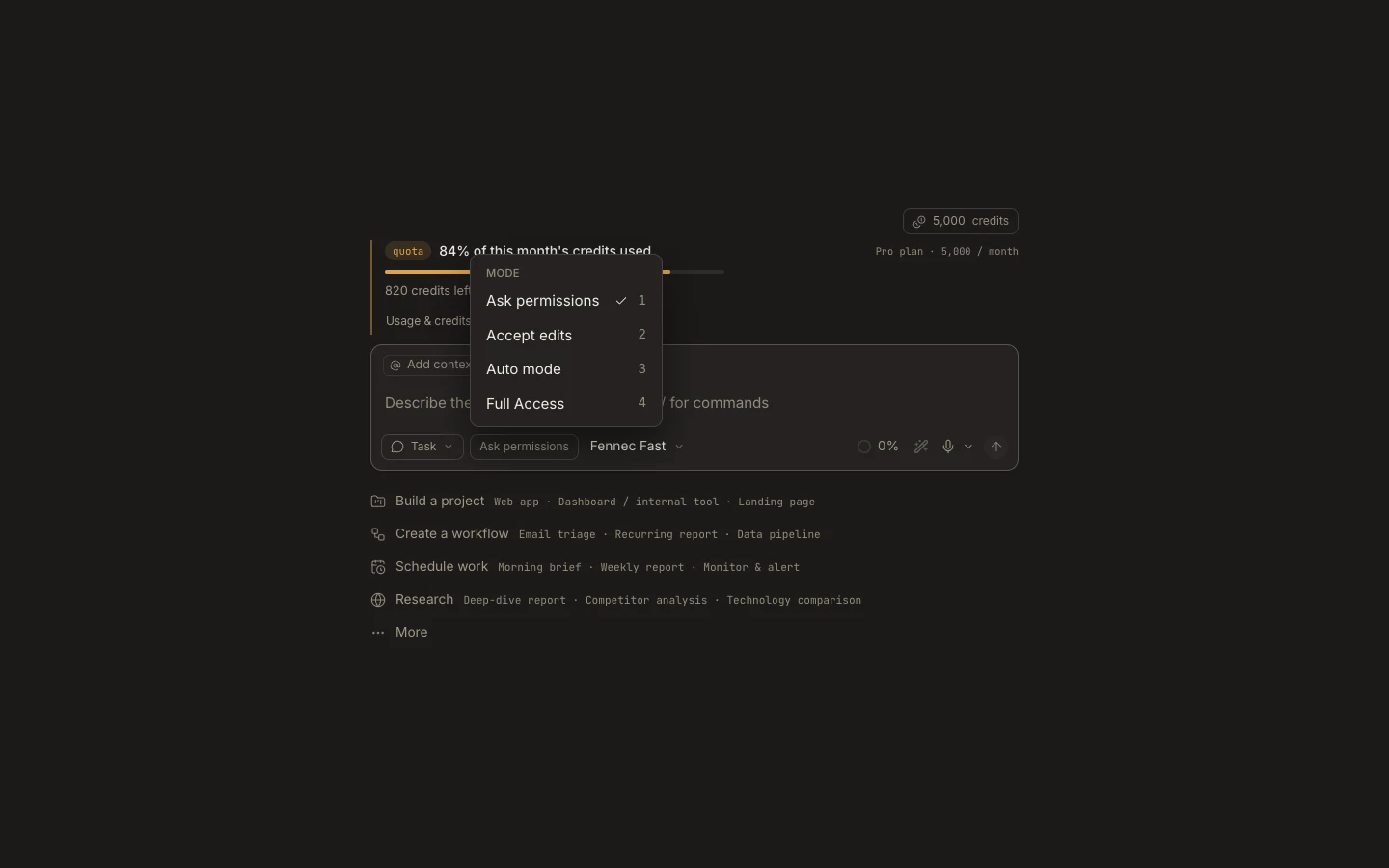
Auto mode
Auto mode lets Fennec run mutating actions without individual prompts when they stay inside the authorized workspace and current policy.
View MarkdownPublished Studio guide. Some screenshots show earlier versions.
Steps
- Attach the intended project and verify its root.
- Choose Auto mode from the autonomy chip.
- State excluded files, services, and side effects directly in the request.
- Monitor the transcript and inspect the resulting diff, commands, and tests.
Expected result
In-scope edits and commands proceed without approval cards, producing a continuous run you can still steer or stop.
Note: Auto does not grant access outside the workspace or bypass hard policy and operating-system permissions.