
Brand settings
Brand settings define the identity applied to email sent by your channels. Blank fields fall back to Foxora defaults, and a live preview shows the resulting email treatment.
On this page2
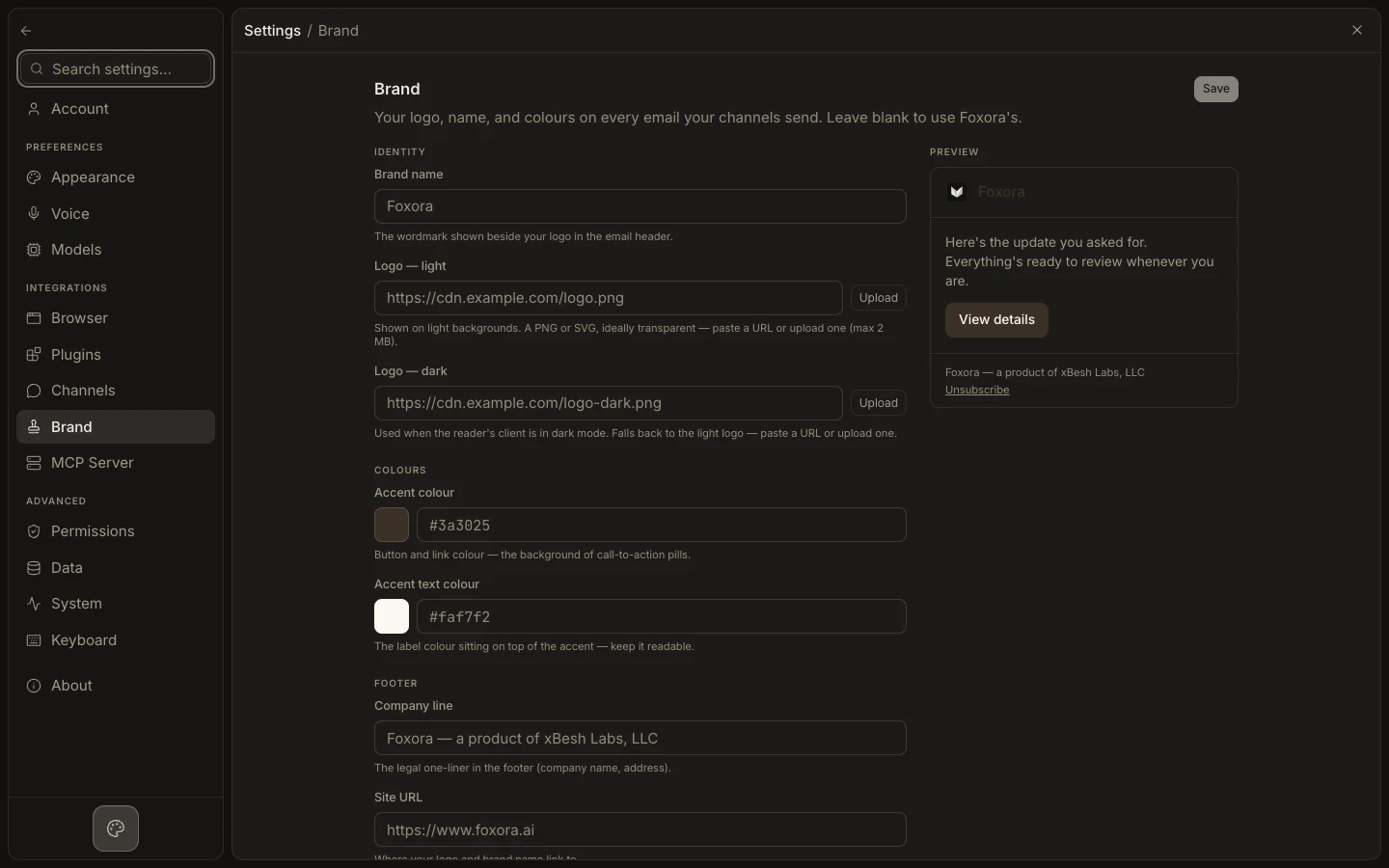
Configure email branding
- Open
Settings→Brand. - Enter the
Brand nameand upload optional light and dark logos. - Set valid hex values for
Accent colourandAccent text colour. - Review
Company line,Site URL,Unsubscribe URL, andReply note. - Inspect the
Preview, selectSave, and send a channel email test.
Expected result
New channel email uses the saved logo, name, colours, and footer. This page does not replace branding configured separately for a published website chatbot.