
Keyboard shortcuts
Keyboard shortcuts cover navigation, panels, files, settings, and composer actions while preserving the current task.
On this page2
Steps
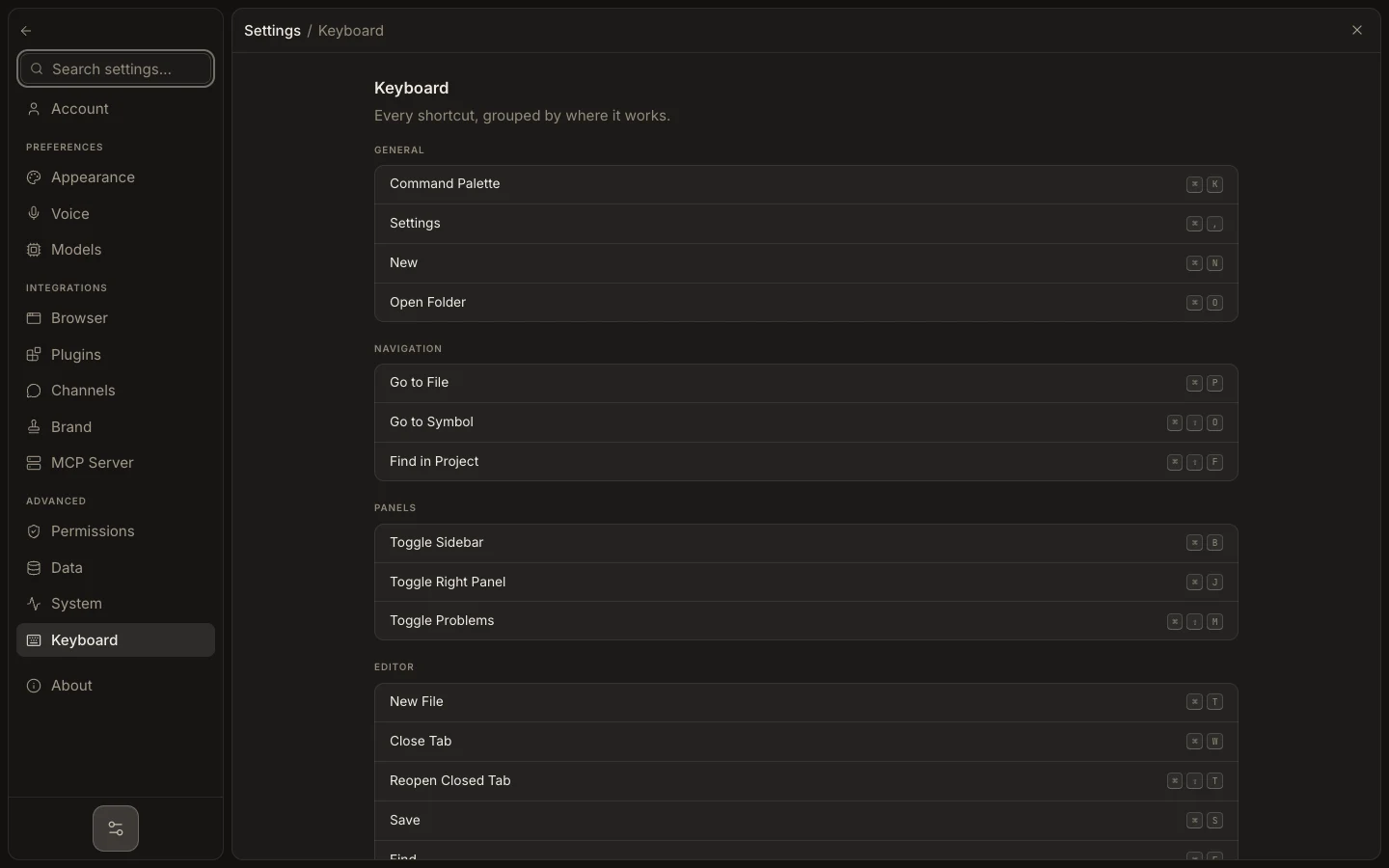
- Open Settings → Keyboard to review the shortcuts for your platform.
- Use Command/Ctrl+K for Command Center, Command/Ctrl+P for a file, and Command/Ctrl+N for a new task.
- Toggle the sidebar with Command/Ctrl+B and Stage with Command/Ctrl+J.
- In the composer, press Enter to send or Shift+Enter to add a new line.
Expected result
The requested view or action opens once, and typed task content is not lost.
Note: Operating-system or browser shortcuts can take precedence. Use the visible menu action when a key combination is intercepted.