
Create a crew manually
Create a crew when one result needs several specialists with clear handoffs.
On this page2
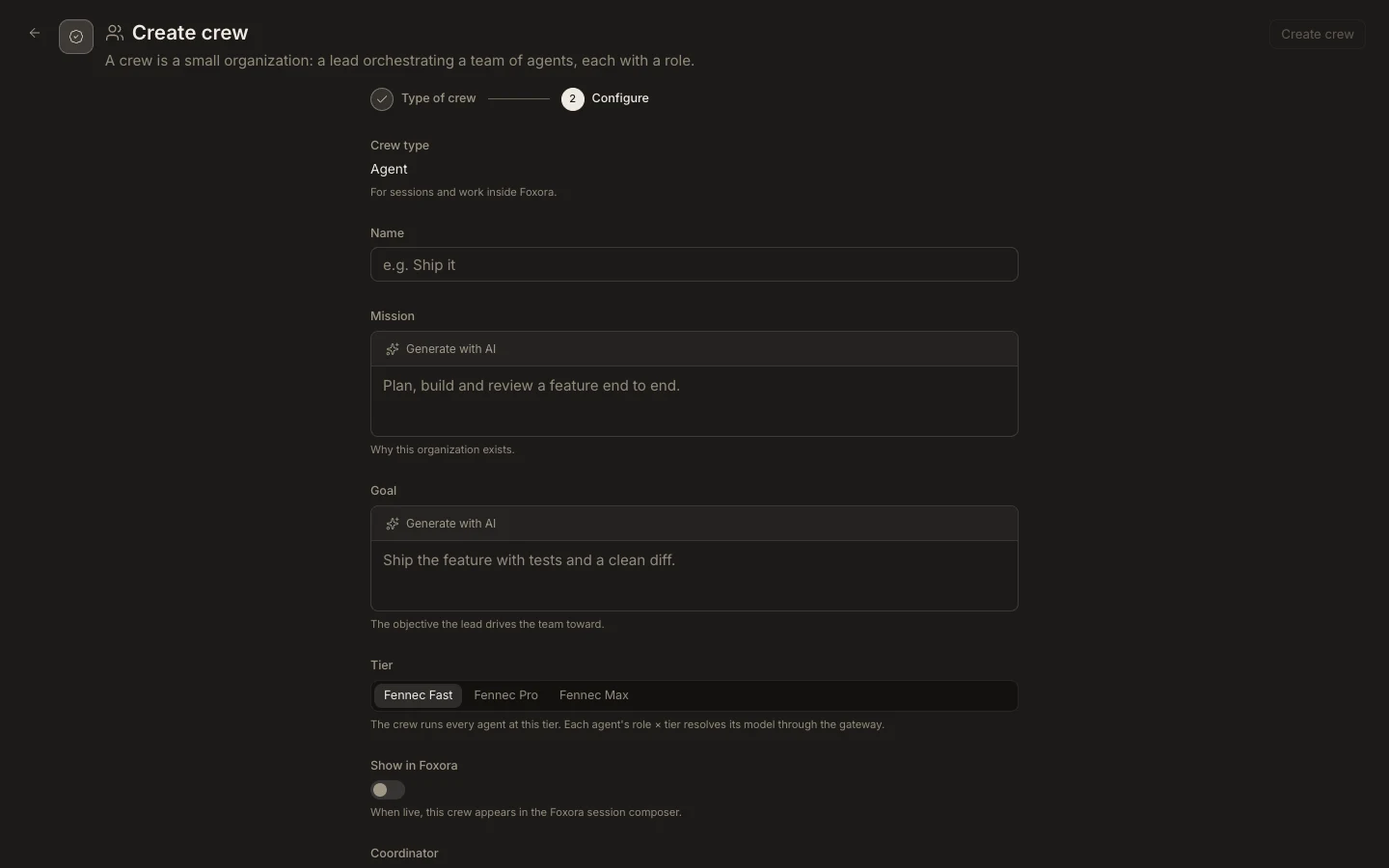
Create the crew
- Open
Studio→Crewsand selectNew crew. - Choose
Voice crew,Agent crew, orChatbot crew. This choice determines compatible members and deployment surfaces. - Select
Continue, then enter a unique name, mission, and measurable goal. - Choose a Fast, Pro, or Max tier and add agents with distinct member roles.
- Enable the deployment switch only when configuration is complete, then select
Create crew.
Expected result
The custom crew appears in the library with Fennec as coordinator. Studio refuses duplicate names, incompatible agents, incomplete chatbot settings, or teams beyond the plan’s member and custom-agent limits.