
Using Foxora as an MCP server
Use this mode when an external MCP client should call Foxora's deliberately limited read and web tool set. It does not expose the full Fennec execution surface.
On this page2
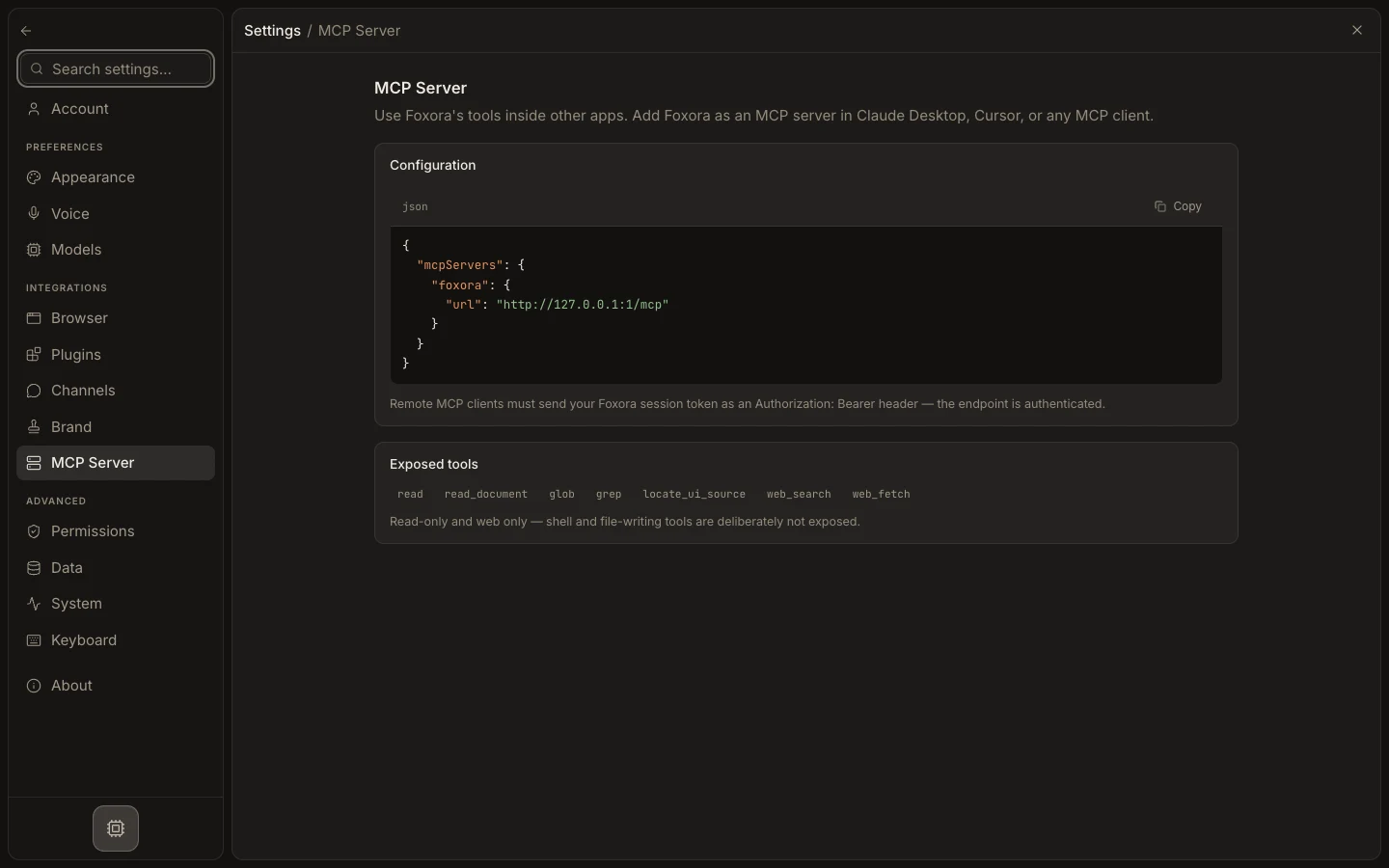
Connect an external client
- Open
Settings→MCP Server. - Copy the generated
mcpServersJSON. - Paste it into Claude Desktop, Cursor, or another compatible client's MCP configuration.
- Keep Foxora Desktop running for the local loopback endpoint, or add the required Bearer header for the web endpoint.
- Restart or reload the client and run a harmless read or web query.
Expected result
The external client can call Foxora's exposed tools, including read, glob, grep, web_search, and web_fetch, but cannot write files or open a shell.